How It Works
Autoposter can automatically transcribe your videos and burn in styled subtitles — the bold, centered captions that keep viewers watching on TikTok, Reels, and Shorts.
The Process
- Transcription — Your video audio is transcribed using AI speech recognition
- Alignment — Timestamps are synced to your audio for precise word timing
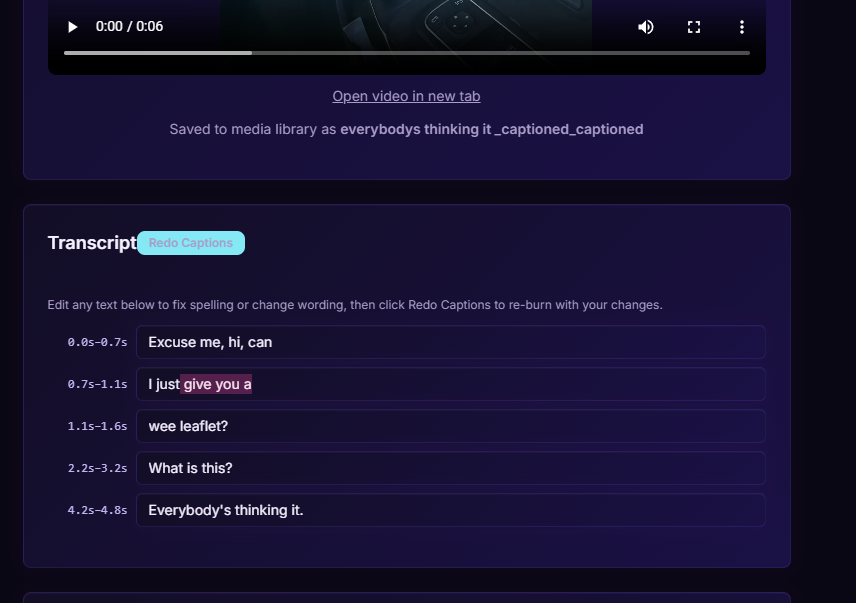
- Edit — Review and edit the transcript before burning in
- Compliance Check — The transcript is checked for flagged words and auto-censored if needed
- Burn-In — Styled subtitles are rendered onto the video in bold Montserrat font with outline
How to Use
- Go to the Video Captions page from the sidebar
- Select a video from your media library
- Click Transcribe to start the AI transcription
- Review and edit the transcript if needed
- Click Burn In to render the captions onto the video
- The captioned video will be saved to your media library
Auto-Censoring
If the transcript contains words that could violate platform TOS, they're automatically detected and censored (bleeped) in the final video. This keeps your content safe across all platforms.